Client files inside every CRM record
Each client record gets its own SharePoint folder, with AI search across all folders, expiry reminders and e-signature, right where client data lives.
Example project
Based on a project our team built. Client details are left out or changed, and the demo uses invented data.
- Sector
- Industrial and distribution companies
- Typical duration
- 8 to 14 weeks
Typical client situation
An industrial and distribution company keeps agreements, offers, test certificates and technical sheets in CRM attachments, network drives and email. Several teams work with the same clients, and each team has its own idea of where a file belongs.
Challenge
Sales cannot find the signed contract, quality cannot find the certificate for a delivered batch, and the same quote exists in four versions. Files sit in CRM notes, on shared drives and in mailboxes, so nobody trusts any single copy.
Giving everyone direct SharePoint rights is not an option. Permissions would drift from the CRM security model, customers and partners need controlled access to some folders, and the old drives still have to move to team sites without losing their structure.
Solution
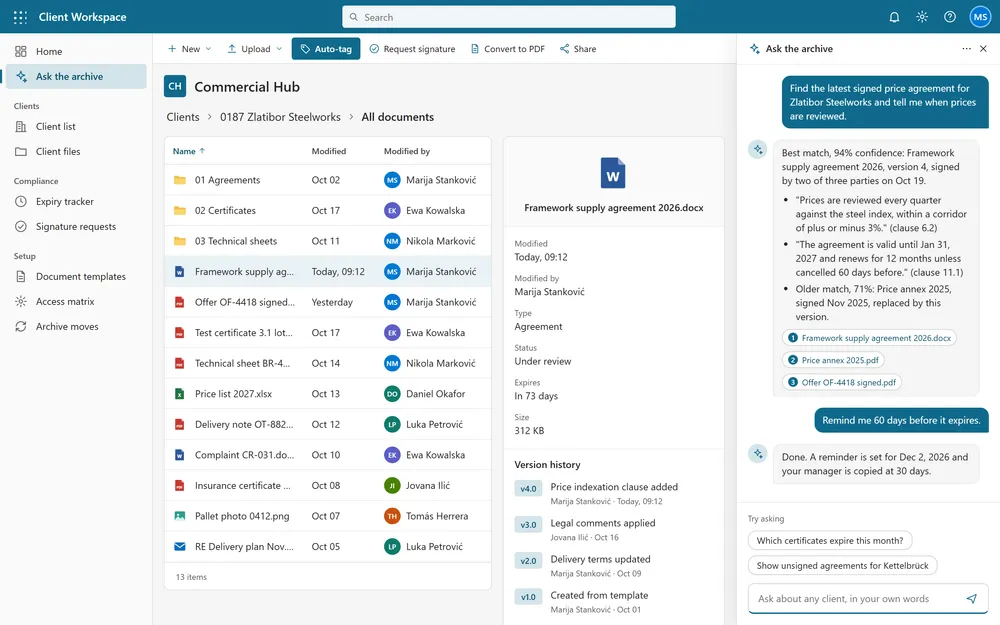
We build a Documents tab on any CRM record as a file manager. Each record gets one SharePoint folder, created from a template, with chunked upload and download, rename, copy from templates, preview, and Word to PDF conversion. A Teams channel per key account stays synced with the folder. The tab shows only what the user may do: read, write or no access, following the CRM security roles.
Everything runs server-side through custom APIs written in C# that call Microsoft Graph, so users never need direct SharePoint rights. The same layer updates metadata, invites external users and sends agreements for e-signature, with the status of each signer shown on the client record. An auto-tag command fills document metadata from the ERP, and a migration moves the old shares to dozens of team sites using an access matrix.
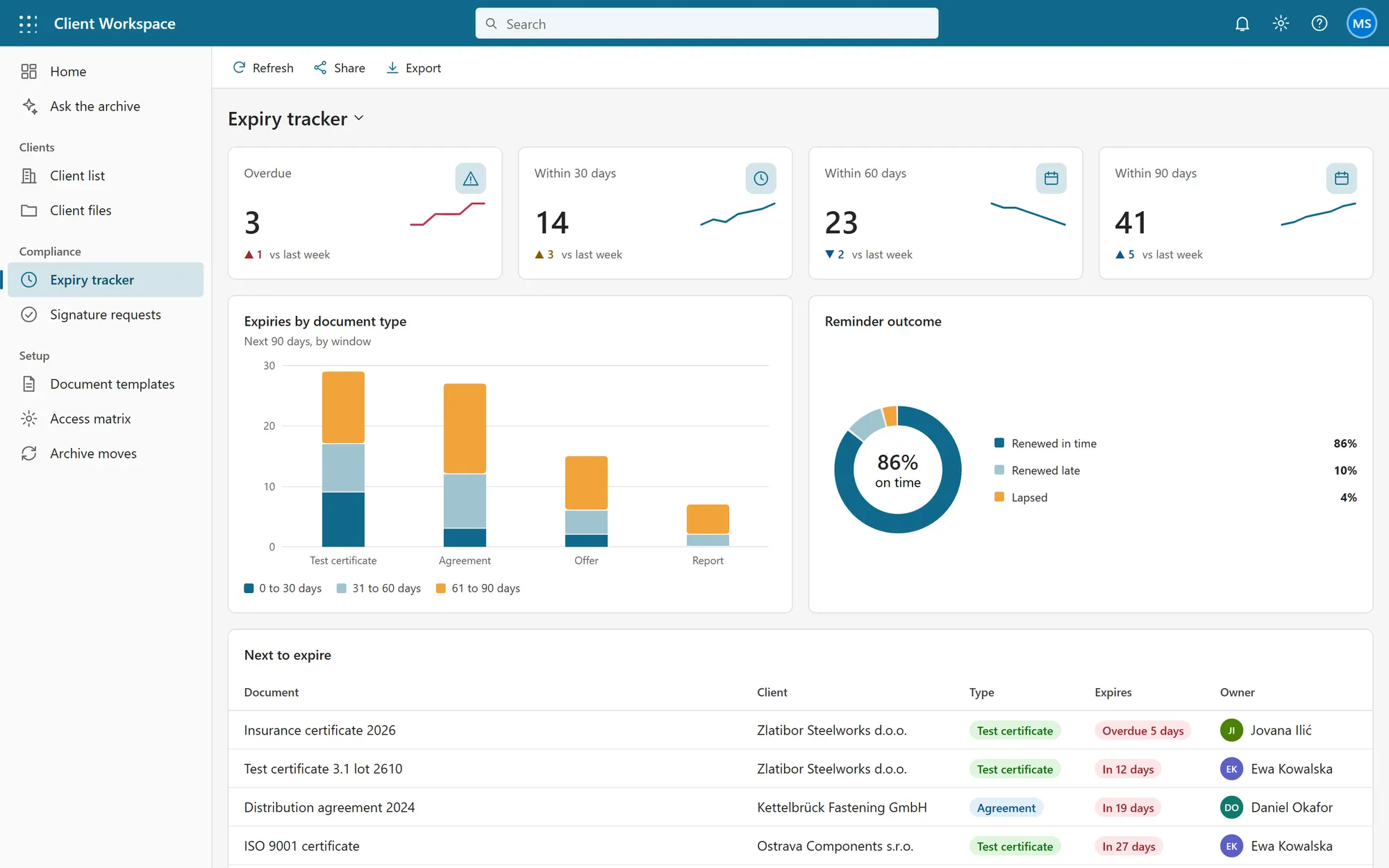
The solution also reads the contents of every client folder. People ask in their own words, for example for the latest signed price agreement, and get the matching document with a confidence score and the quoted clauses. It extracts expiry dates from certificates and agreements, and reminds the owner 90, 60 and 30 days ahead, with an expiry dashboard for compliance.
One SharePoint folder per CRM record, created from a template
Semantic search across all client folders, with quoted clauses and a confidence score
Expiry dates read from certificates and agreements, with reminders at 90, 60 and 30 days
E-signature for outgoing agreements, with the status of every signer
Access follows CRM roles through server-side custom APIs
Plan of the solution
Stack
- Dynamics 365 / Dataverse
- SharePoint Online
- Microsoft Graph
- C# custom APIs
- SPFx
- TypeScript
Screens from the demo
We rebuilt this solution as a demo with invented data, so you can see how it works without exposing any client system. Click through it yourself.
Open the interactive demo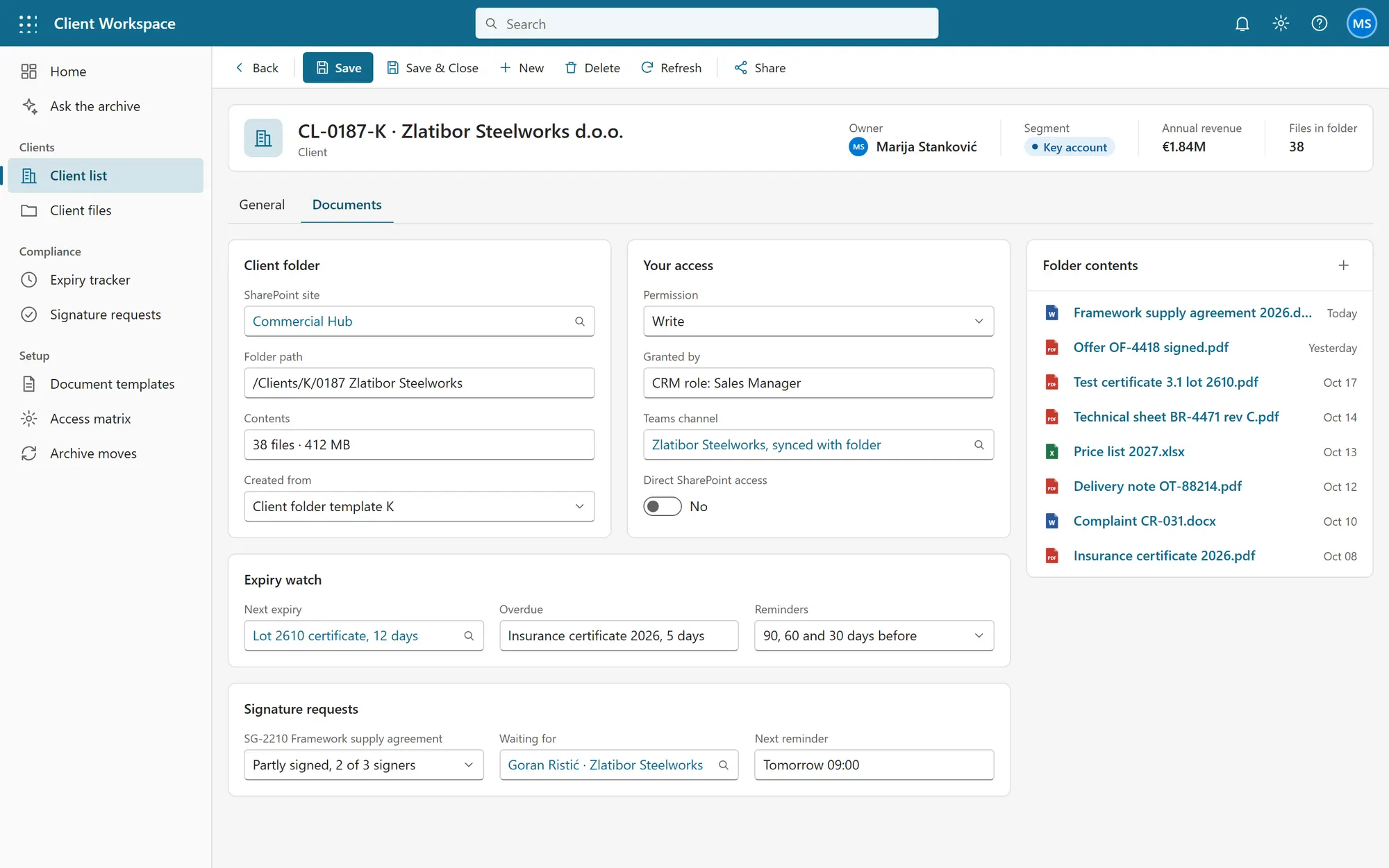
What it is built to deliver
- per client record, in the place people already work
- One folder
- the signed agreement, with the clause quoted
- Asked, found
- every certificate and agreement is tracked to its expiry
- No lapses
Recognize the situation?
Tell us where your process is stuck. We will tell you honestly whether we can help.