Online application and staff app for a car rental fleet
Customers pick a car, see a demand-based price, sign online and unlock it with a digital key, while staff check returns with AI photo comparison.
Example project
Based on a project our team built. Client details are left out or changed, and the demo uses invented data.
- Sector
- Vehicle rental
- Typical duration
- 12 to 16 weeks
Typical client situation
A vehicle rental business with several locations and a few hundred vehicles. Customers book by phone or email, and counter staff retype the same details into the fleet system at every pickup.
Challenge
Renting a car takes a long counter visit: filling in forms, scanning documents, checking a licence, explaining insurance and signing paper. Queues build up at peak hours and errors creep into the contract.
Staff look up vehicles in a desktop system that is slow to search with thousands of records. Damage is noted on paper at check-out, so disputes at return are hard to settle.
Solution
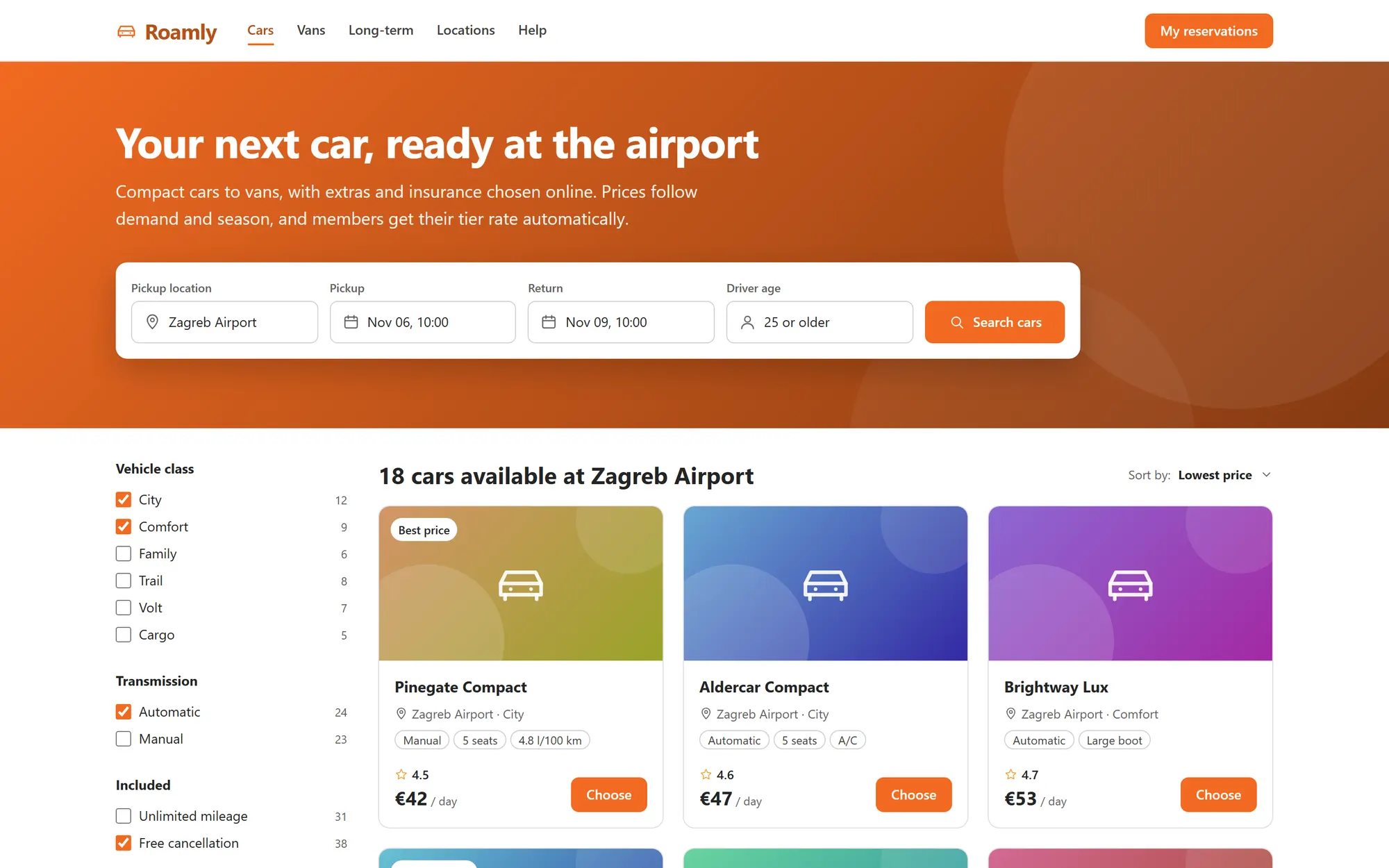
The solution is a customer portal in React and TypeScript with an Express backend on Azure. It offers a catalogue with search by location and dates, then a six-step application: trip, car, price and extras, driver, verification, and signature. The price summary updates as extras are added, the daily rate follows demand and season, and Roamly Club members see their tier discount and the points they earn.
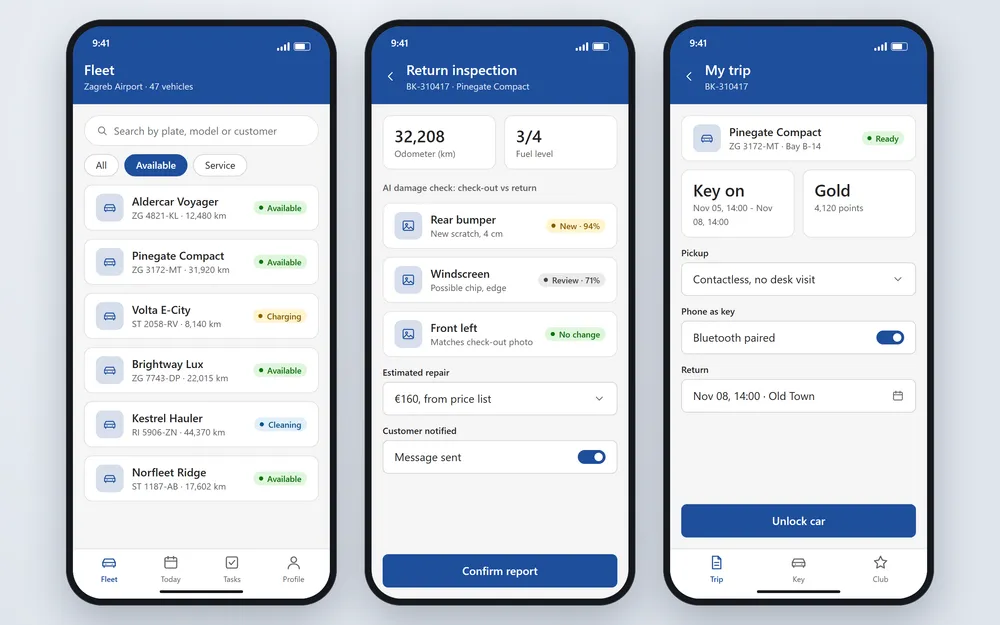
Webhooks connect the portal to ID-scan, income-verification and e-signature services, and every result is written back to the reservation. For staff and customers there is a React Native app with Expo and a Node proxy to Dataverse: fast search over more than 5,000 records, a contactless pickup where the phone works as a digital key once verification is complete, and a return inspection.
At return, AI compares the check-out and return photos angle by angle, flags new damage with a confidence value and an estimated repair cost, and lets the employee confirm the report. A staff pricing screen shows demand, free cars and the suggested rate for each class and period, with an auto, review or locked mode.
Contactless pickup with a digital key in the mobile app
AI damage detection that compares check-out and return photos
Dynamic pricing by demand and season, with suggestions for staff to review
Loyalty tier with automatic discount and points in the application
Six-step application with live price summary and optional extras
ID, income and e-signature results arrive by webhook and update the reservation
Plan of the solution
Stack
- React
- TypeScript
- Node.js and Express
- Azure
- React Native and Expo
- Dataverse
- Webhooks
- Azure AI services
Screens from the demo
We rebuilt this solution as a demo with invented data, so you can see how it works without exposing any client system. Click through it yourself.
Open the interactive demo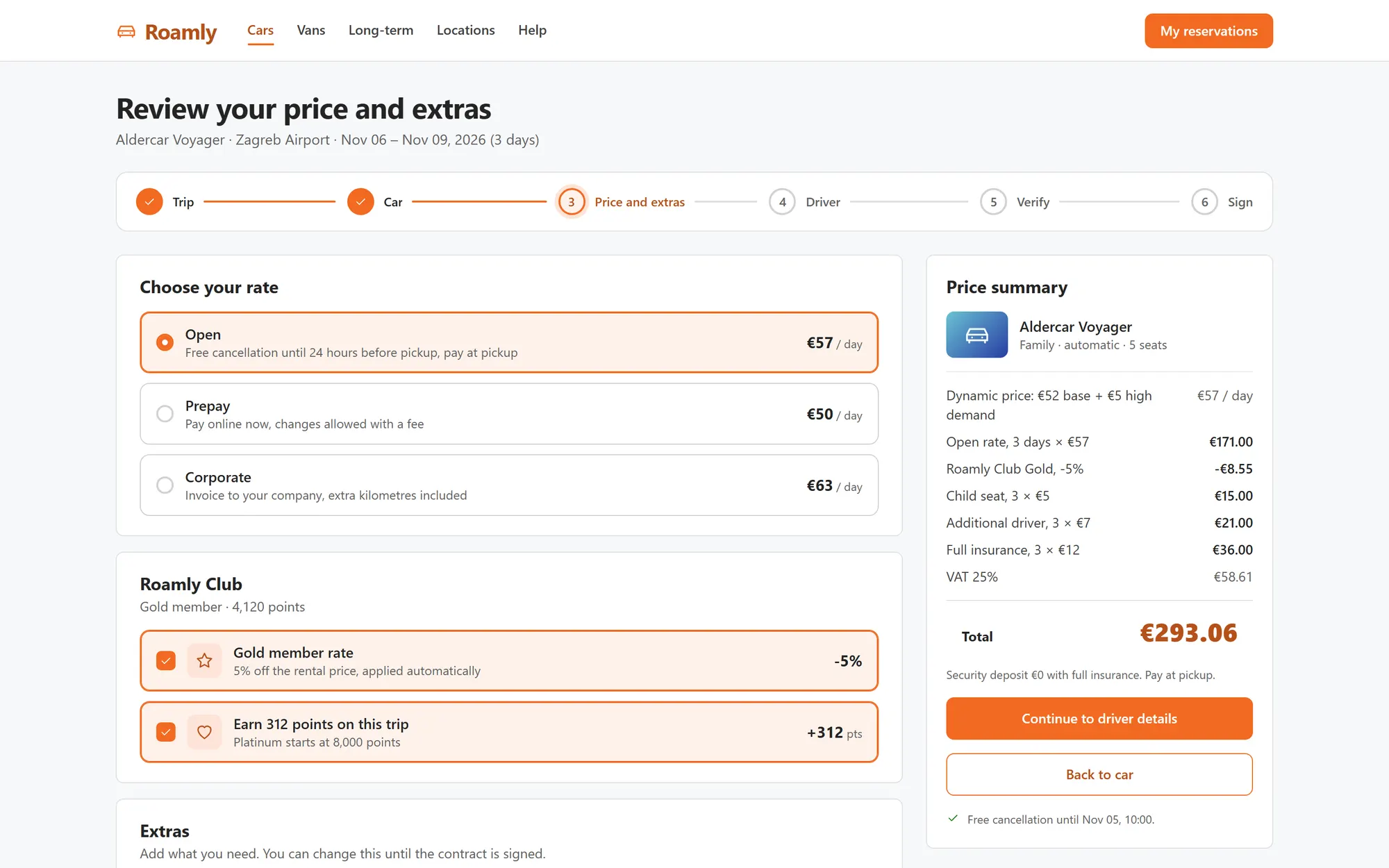
What it is built to deliver
- from choosing a car to a signed contract, without a counter queue
- Signed online
- pickup with the phone as the key
- Keyless
- with photos compared at check-out and return
- Damage proven
Recognize the situation?
Tell us where your process is stuck. We will tell you honestly whether we can help.