An electronic correspondence desk that replaces the paper book
Every incoming, outgoing and internal document gets a reference, an owner and a deadline. AI classifies it on arrival and replies are sealed electronically.
Example project
Based on a project our team built. Client details are left out or changed, and the demo uses invented data.
- Sector
- Public-sector organisation
- Typical duration
- 12 to 16 weeks
Typical client situation
A public-sector organisation with several hundred employees and a registry desk that receives thousands of documents a year by post, email and counter. Every document must be logged, routed, answered on time and filed under a classification plan.
Challenge
The registry book is a paper ledger, backed by spreadsheets in each department. Numbers are assigned by hand, so duplicates and gaps happen, and nobody can see at a glance which document is waiting for whom.
Replies are linked to the original request only by memory. Access to documents is granted informally, deadlines are missed unnoticed, and finding an old document means asking the person who filed it.
Solution
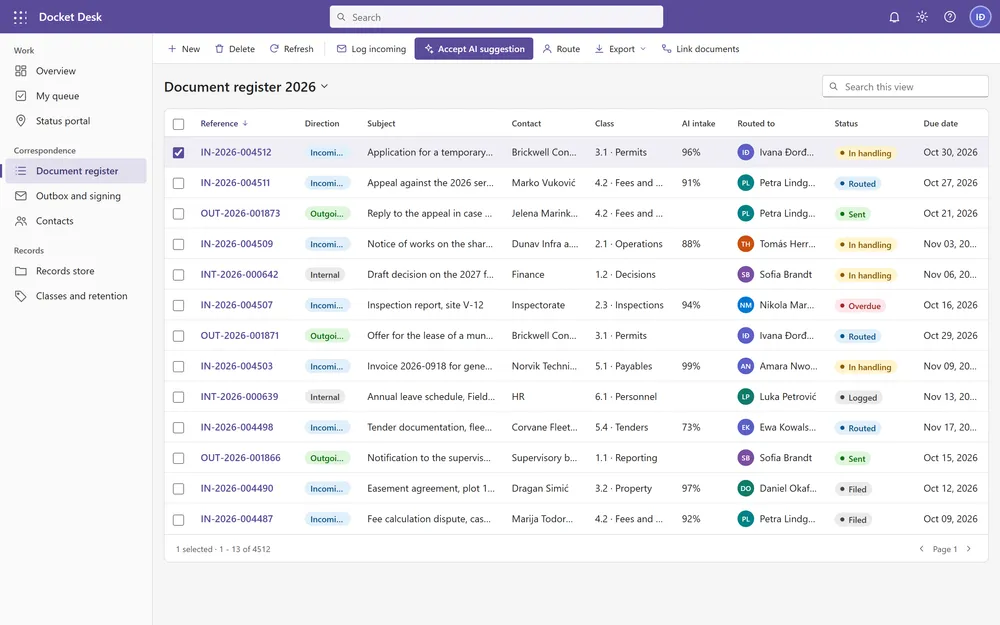
The solution is a model-driven app on Dynamics 365 and Dataverse. One document table covers incoming, outgoing and internal documents, and the form adapts to the direction. Class and subclass use filtered lookups, senders and recipients live in a contacts subgrid, and documents can be linked to each other. A business process flow guides each document from logged to filed.
A C# plugin assigns references with prefix rules and yearly counters, so numbering is gapless and unique. When an email or scan arrives, AI reads it and suggests the class, subclass, department and response deadline with a confidence score, and the clerk accepts the suggestion in one click. Power Automate flows grant and revoke access as a document moves, and custom APIs store files and emails as .eml in SharePoint with metadata.
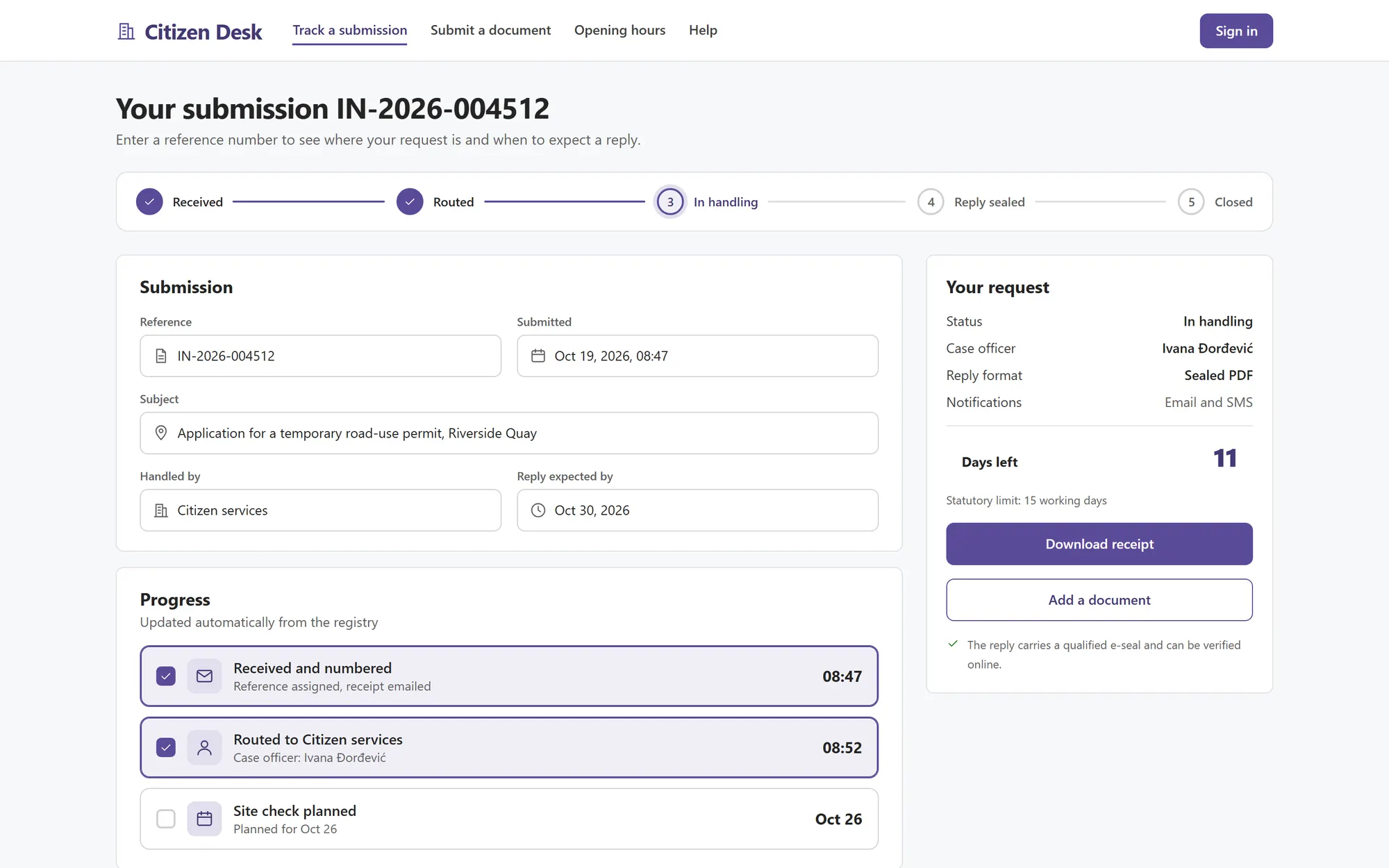
Outgoing documents are signed with a qualified e-signature and sealed with the organisation e-seal, and the outbox shows the signature status of every reply. A self-service status page lets a citizen or partner follow a submission by reference number, from received to sealed reply.
AI intake that suggests class, department and deadline with a confidence score
Qualified e-signature and e-seal on outgoing documents, with a signature status per reply
Self-service status page where a submitter tracks a request by reference number
References with prefix rules and yearly counters, assigned by a plugin
One document form that changes by direction: incoming, outgoing or internal
Emails and attachments archived to SharePoint as .eml files with metadata
Stack
- Dynamics 365
- Dataverse
- Model-driven apps
- C# plugins
- Power Automate
- Custom APIs
- SharePoint Online
Screens from the demo
We rebuilt this solution as a demo with invented data, so you can see how it works without exposing any client system. Click through it yourself.
Open the interactive demo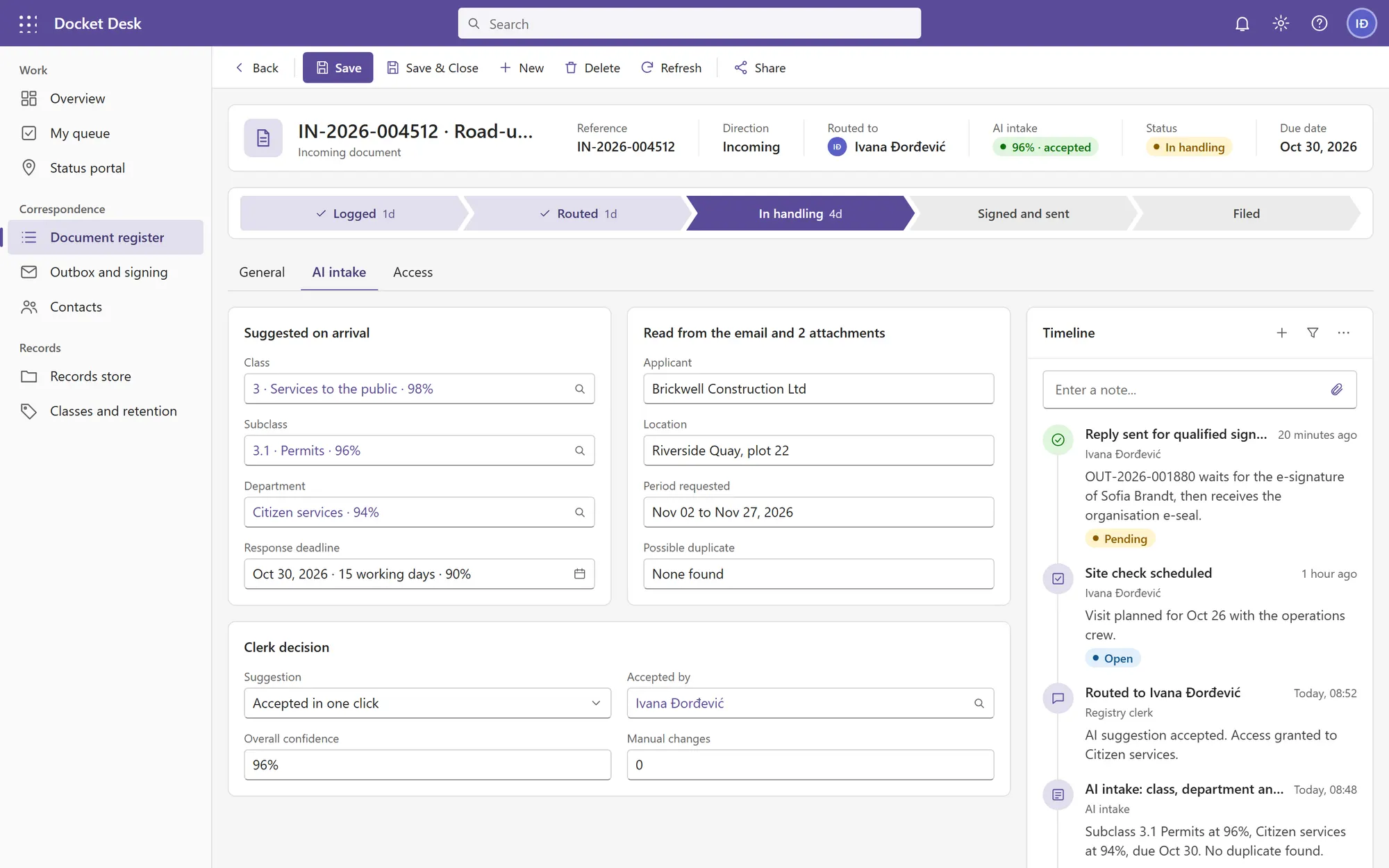
What it is built to deliver
- Class, department and deadline suggested on arrival and accepted in one click
- AI intake
- Outgoing documents carry a qualified e-signature and e-seal with a visible status
- Sealed replies
- References assigned by the system, never twice and never by hand
- Gapless numbers
Recognize the situation?
Tell us where your process is stuck. We will tell you honestly whether we can help.