An AI assistant that works inside the service desk
A Copilot agent answers from documents and tickets with sources, warns in Teams before a deadline slips and writes only after the user confirms.
Example project
Based on a project our team built. Client details are left out or changed, and the demo uses invented data.
- Sector
- Managed IT services
- Typical duration
- 8 to 12 weeks
Typical client situation
A managed IT services provider with a support team that handles hundreds of customer tickets under different service plans. Knowledge sits in SharePoint, mail, call recordings and Teams, and ticket data in the CRM.
Challenge
Engineers spend a large part of the day switching between the CRM, mailboxes and document libraries. Finding the right runbook or the terms of a service plan takes minutes, deadline misses are noticed only when they have happened, and call notes and time entries are written up at the end of the week from memory.
Generic chatbots are not an option. Answers must come from the company's own documents and records, show where they came from, and nothing may change in the CRM without a person agreeing to it.
Solution
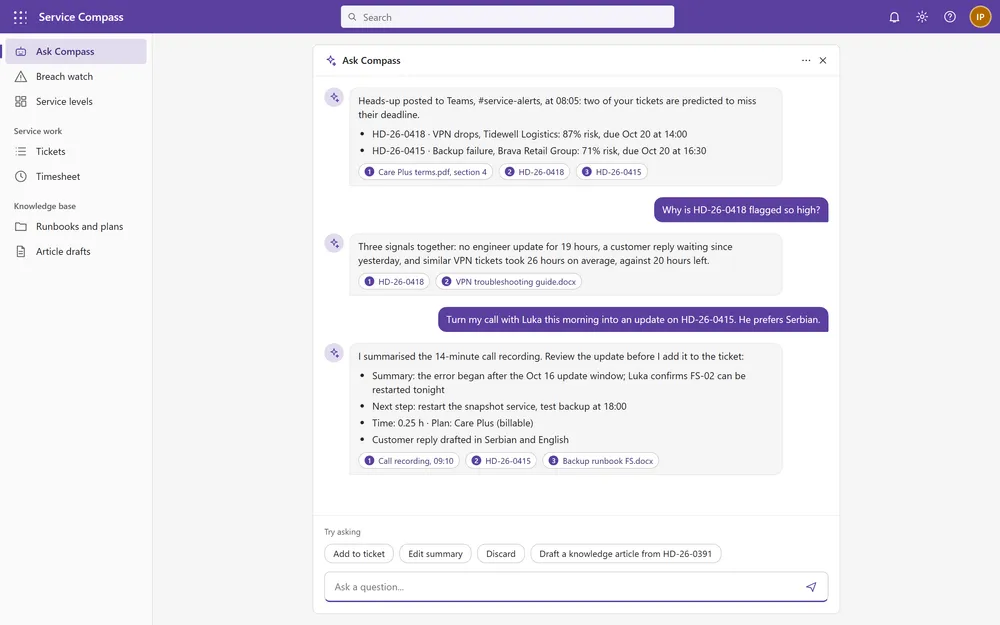
The solution is a Microsoft 365 Copilot declarative agent that works over SharePoint, mail, Teams and the CRM. Engineers use it where they already work, and it answers in plain language, in Serbian or English from the same sources, with links to the sources.
A .NET MCP server with single sign-on gives the agent tools to search, create, assign and resolve tickets, log time and set the service plan on a ticket. Every write shows a confirmation card first, and the CRM records which entries the assistant created. A RAG service answers questions over documents and Dataverse data and returns cited sources, so each answer can be checked.
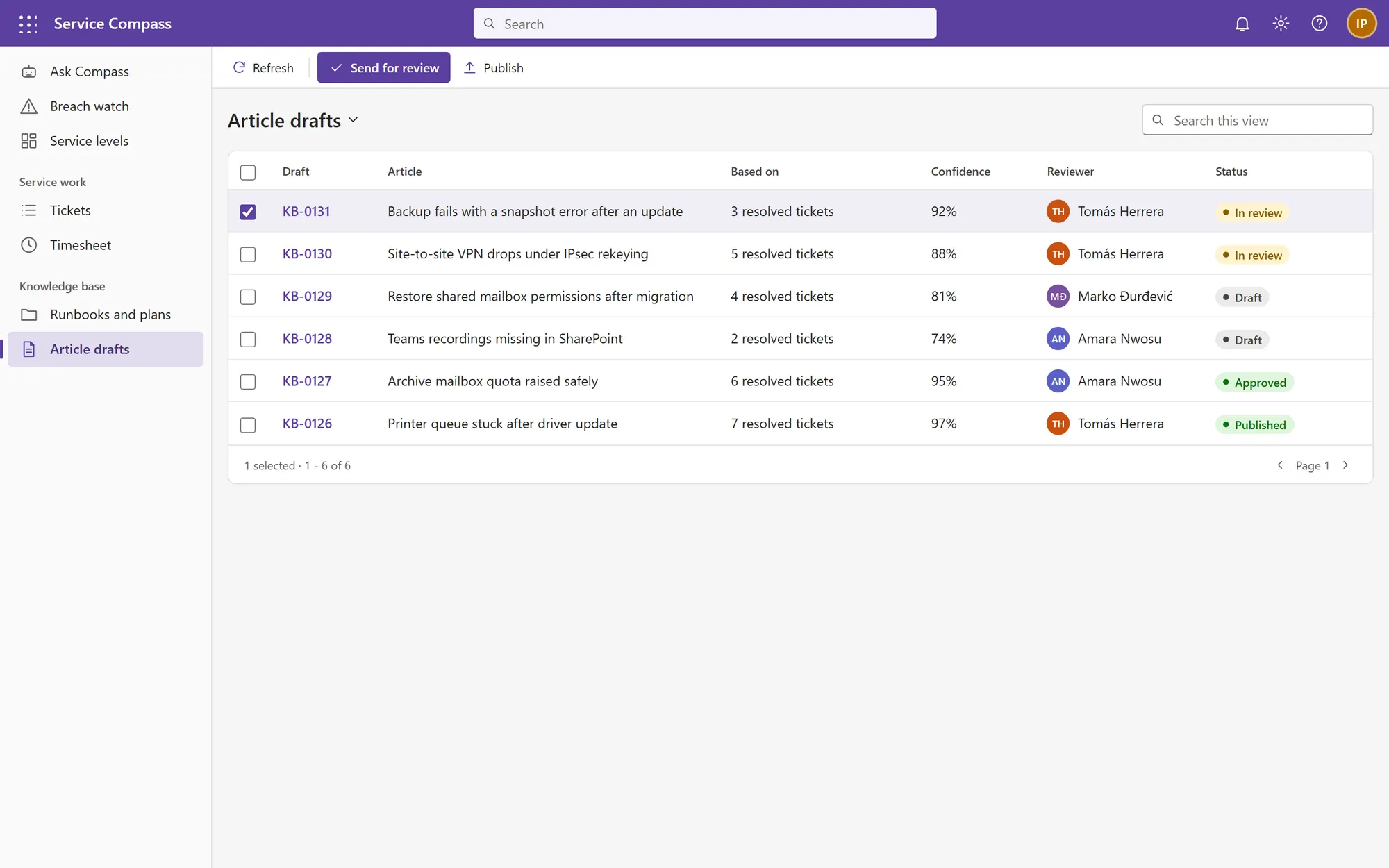
A scoring service watches open tickets and estimates the risk of missing each deadline from age, waiting time, owner availability and how long similar tickets took. It posts a warning with the reasons to a Teams channel before a breach. The assistant also turns a call recording into a summary, next steps and a draft customer reply on the ticket, and drafts knowledge articles from resolved tickets that go to a named reviewer.
Answers over documents and ticket data with cited sources, in Serbian or English
Breach-risk score per ticket with a warning posted to Teams before the deadline
Call recording turned into a ticket update, next steps and a draft reply
Knowledge articles drafted from resolved tickets and sent for review
Confirmation card before every change in the CRM
Stack
- Microsoft 365 Copilot
- MCP server (.NET)
- Dataverse
- Azure OpenAI
- RAG service
- SharePoint
- Entra ID
Screens from the demo
We rebuilt this solution as a demo with invented data, so you can see how it works without exposing any client system. Click through it yourself.
Open the interactive demo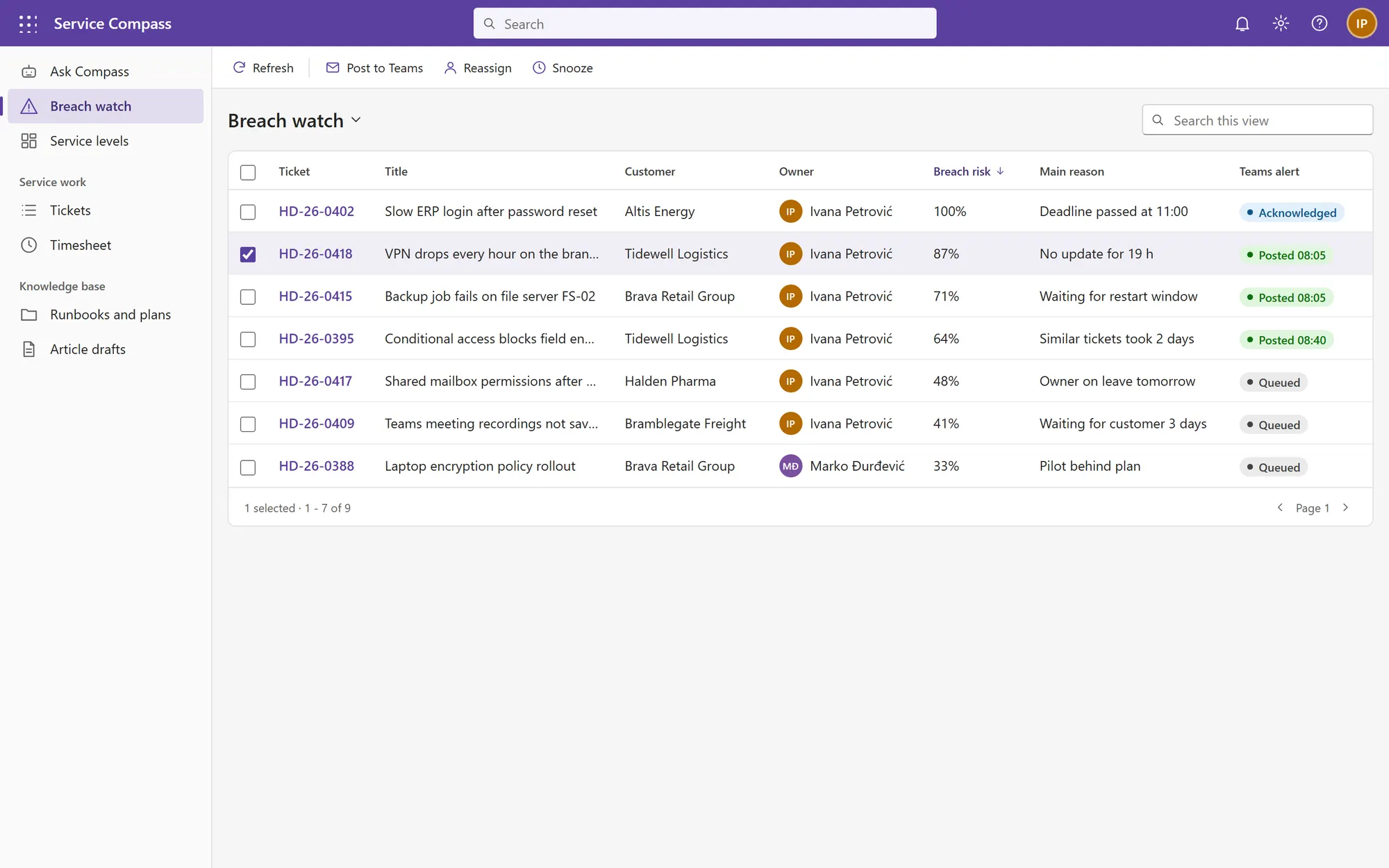
What it is built to deliver
- Teams alerts explain the risk and reach the owner before a deadline is missed
- Warned in time
- A call recording becomes a reviewed update, next steps and time entry
- Calls into tickets
- Every change needs the user's confirmation and is logged
- Nothing written unseen
Recognize the situation?
Tell us where your process is stuck. We will tell you honestly whether we can help.